

Latest Version
Cynoble technova limited
Media
Mac
Free
1335335588
Report a Problem
More About Final Video Player - MKV & MP4
A Versatile Desktop Media Hub for macOS
Finding a reliable media player that handles diverse formats without stuttering can be a challenge on macOS. The Final Video Player - MKV & MP4 media player by Cynoble Technova Limited aims to solve this dilemma. Built with a focus on simplicity and high performance, this application serves as a comprehensive tool for users who need to play high-definition MKV files, standard MP4s, and a massive array of other video and audio formats without converting them first.
What Can You Do with Final Video Player - MKV & MP4?
Instead of wrestling with codec packs, this software offers immediate, out-of-the-box compatibility. Here is a practical look at how you can utilize the Final Video Player - MKV & MP4 player in your daily workflow:
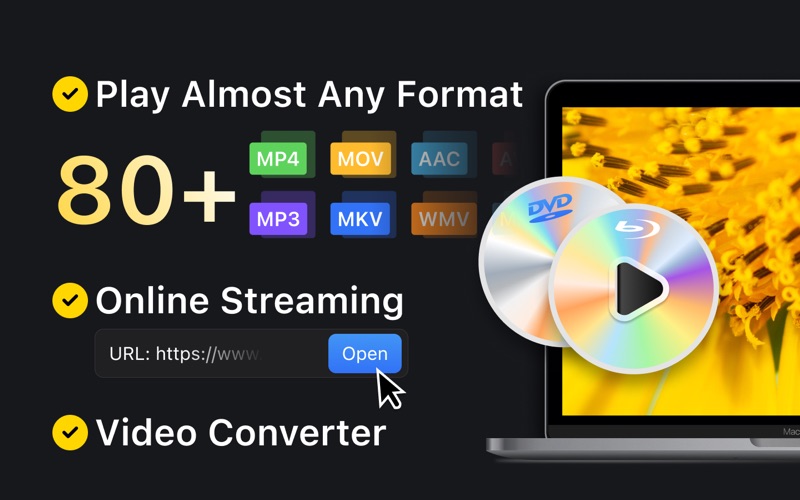
- Seamless Format Playback: Drag and drop virtually any file onto the dock icon. It supports video extensions like MKV, MP4, AVI, MOV, FLV, and WebM, alongside audio files like MP3, FLAC, and OGG.
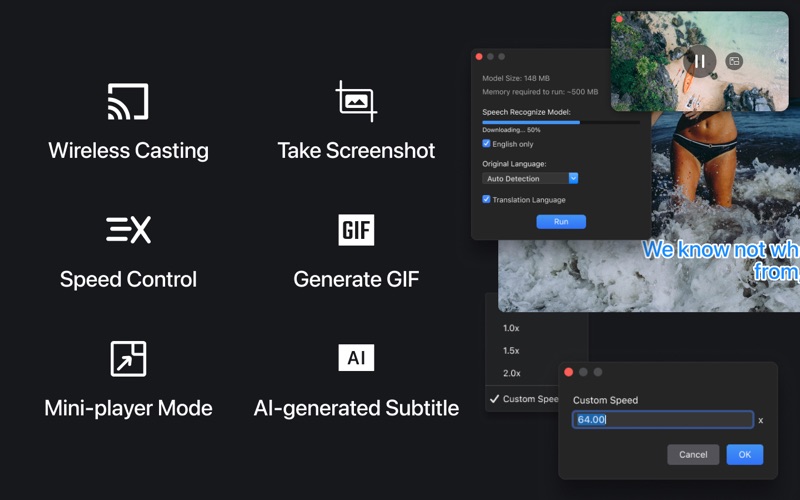
- Advanced Speed Control: Adjust your viewing pace from a slow 0.1X up to a rapid 16X speed, which is perfect for reviewing lecture recordings or skimming security footage.
- Precision Subtitle Syncing: Load external subtitle files (such as SRT, ASS, or SUB) and synchronize them on the fly with the timeline to fix delayed text.
- Multi-Screen Casting: Broadcast your local media files directly to a larger living room screen using integrated AirPlay and DLNA support.
- Stream Online Feeds: Input direct resource URLs to stream live broadcasts or online videos directly inside the application interface.
- Multitask with Mini Player Mode: Keep your video in a compact, floating window that stays on top of other active applications while you work.
Who Is This Media Player For?
The Final Video Player - MKV & MP4 application is highly suited for Mac users who regularly interact with diverse media libraries. Whether you are an offline movie enthusiast with a large collection of MKV files, a student needing precise speed controls for lecture videos, or someone who values a lightweight background music and video player while multitasking, this tool adapts easily to your routine. Its clean design and keyboard shortcut integration make it accessible yet powerful enough for daily desktop use.
Explore the Software Today
If you are looking for an all-in-one desktop utility that replaces basic default players, this application provides the robust codec support and playback flexibility you need. To learn more about its features or to try it out on your Mac, head over to the official Mac App Store to get started.
Rate the App
User Reviews







Popular Apps










Editor's Choice